
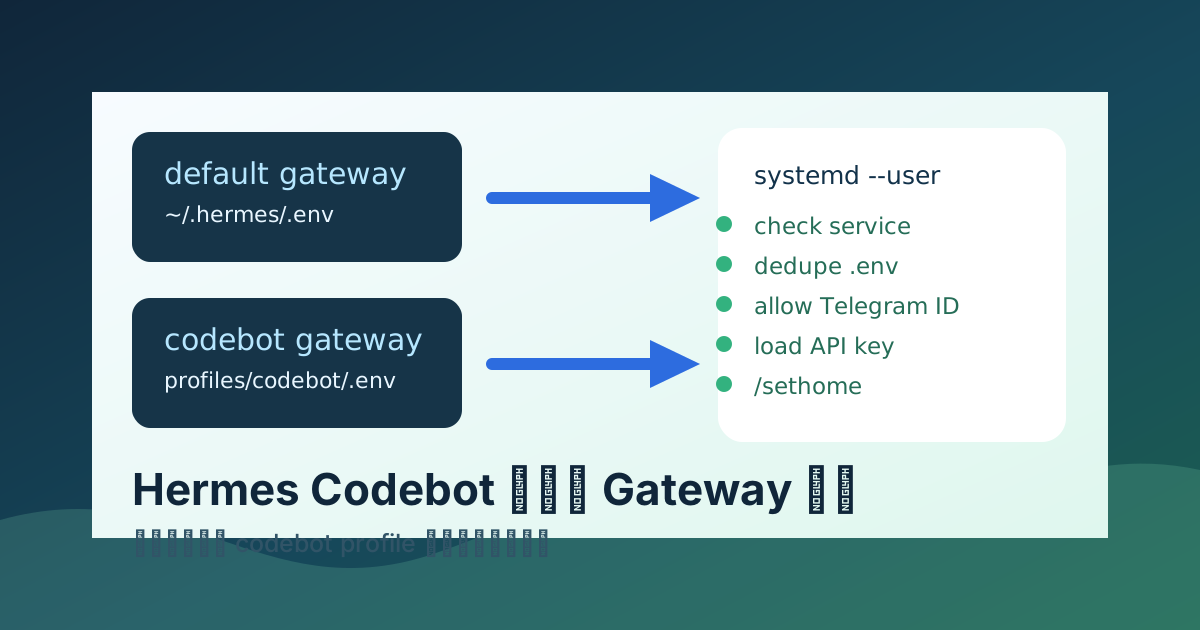
这篇是给下次的自己看的。
第一次搭 Hermes Gateway 时,很多动作像“顺手做完了”:默认 profile、默认服务、默认 Telegram bot、默认模型 key,跑起来以后就忘了当时为什么能跑。等第二个 Gateway,也就是单独的 codebot profile 出问题时,才发现真正要记住的不是某一条命令,而是一整套判断顺序。
这次踩到的点很典型:
- 服务看起来 restart 失败,但其实新进程已经启动。
- Telegram 明明写了允许用户,仍然报
Unauthorized user。 .env里同名变量出现两次,后面的覆盖前面的。- 授权修好后,又报
OPENAI_API_KEY没读到。 - bot 能回复以后,还会提醒没有设置 home channel。
所以这篇把“第一个默认 Gateway 怎么建”和“第二个 Gateway 怎么复制出来”放在一起写。以后再建第三个、第四个 profile,不要靠记忆,照这个顺序走。
安全原则:文档里只写变量名、路径和占位符,不记录真实 Telegram bot token、OpenAI API key、SSH 密码或用户私密 ID。真实密钥如果截图或日志里露出过,应立即轮换。
目标结构
推荐把默认助手和开发助手分开。
| 角色 | profile | systemd user service | 用途 |
|---|---|---|---|
| 默认助手 | 默认 profile | hermes-gateway.service 或类似名称 | 日常聊天、提醒、低风险任务 |
| 代码助手 | codebot | hermes-codebot-gateway.service | 代码修改、调试、测试、重构 |
拆 profile 的好处是边界清楚:
- 每个 profile 有自己的
.env、config.yaml、session、memory 和 gateway state。 - 每个 Telegram bot 可以只服务一个用途。
- codebot 可以用更适合写代码的模型和权限策略。
- 默认助手不会被开发任务的上下文污染。
第一个默认 Gateway
第一次搭默认 Gateway 时,先确认 Hermes 在哪个 Linux 用户下面运行。假设用户是 hermesuser:
whoami
echo "$HOME"
ls -la "$HOME/.hermes"
常见目录:
/home/hermesuser/.hermes/
/home/hermesuser/.hermes/config.yaml
/home/hermesuser/.hermes/.env
默认 .env 至少要有:
TELEGRAM_BOT_TOKEN=<telegram-bot-token>
TELEGRAM_ALLOWED_USERS=<your-telegram-user-id>
GATEWAY_ALLOW_ALL_USERS=false
OPENAI_API_KEY=<openai-api-key>
如果你不是用 OpenAI provider,而是 OpenRouter、NVIDIA、Wanfeng 或其他 provider,就按实际 provider 填对应 key。关键是:config.yaml 里选了什么 provider,服务进程环境里就必须有它需要的 key。
配置文件写好以后,还没有结束。Gateway 必须先安装成服务,否则会看到:
✗ Gateway service is not installed
  Run: hermes gateway install
这句话的意思很直接:配置已经有了,但 systemd user service 还没生成。先安装默认 Gateway:
hermes gateway install如果已经装过但 unit 过旧,后续再用 replace:
hermes gateway service install --replace然后启动默认 Gateway:
systemctl --user daemon-reload
systemctl --user restart hermes-gateway.service
systemctl --user status hermes-gateway.service --no-pager
看日志:
journalctl --user -u hermes-gateway.service -n 120 --no-pager
journalctl --user -u hermes-gateway.service -f
第一次在 Telegram 里发消息后,如果看到 home channel 提醒,直接在这个聊天里发送:
/sethomehome channel 是 Hermes 投递 cron job 结果和跨平台消息的默认目的地。没有它不一定影响普通聊天,但会一直提醒。
第二个 codebot Profile
第二个 Gateway 不要和默认 profile 共用一套环境。给 codebot 单独建目录:
/home/hermesuser/.hermes/profiles/codebot/
/home/hermesuser/.hermes/profiles/codebot/config.yaml
/home/hermesuser/.hermes/profiles/codebot/.env
如果 Hermes 版本支持 profile 命令,可以优先用官方命令创建;如果已经手工有目录,也可以直接检查:
ls -la /home/hermesuser/.hermes/profiles/codebot
sed -n '1,220p' /home/hermesuser/.hermes/profiles/codebot/config.yaml
手动完整安装第二个 Profile
如果不走交互向导,第二个 profile 可以按下面顺序手动搭。下面统一假设:
USER_HOME=/home/hermesuser
PROFILE=codebot
PROFILE_DIR="$USER_HOME/.hermes/profiles/$PROFILE"
SERVICE=hermes-codebot-gateway.service
实际执行时,先确认自己就是运行 Hermes 的那个用户:
whoami
echo "$HOME"
1. 创建 profile 目录
mkdir -p "$PROFILE_DIR"
chmod 700 "$USER_HOME/.hermes" "$USER_HOME/.hermes/profiles" "$PROFILE_DIR"
如果默认 profile 已经能正常跑,可以先复制一份配置作为起点:
cp -a "$USER_HOME/.hermes/config.yaml" "$PROFILE_DIR/config.yaml"如果默认 profile 的 .env 里没有不该复用的 token,也可以复制后再改;更稳的是新建:
touch "$PROFILE_DIR/.env"
chmod 600 "$PROFILE_DIR/.env"
2. 写 codebot 的 .env
编辑:
nvim "$PROFILE_DIR/.env"最小可用示例:
TERMINAL_ENV=local
TERMINAL_TIMEOUT=180

TELEGRAM_BOT_TOKEN=<telegram-bot-token-for-codebot>
TELEGRAM_ALLOWED_USERS=<your-telegram-user-id>
GATEWAY_ALLOW_ALL_USERS=false

OPENAI_API_KEY=<openai-api-key>
注意:
- 第二个 bot 最好用自己的
TELEGRAM_BOT_TOKEN。 TELEGRAM_ALLOWED_USERS写 Telegram 数字 user id,不是用户名。- 如果
config.yaml不是openai-apiprovider,就把OPENAI_API_KEY换成实际 provider 需要的 key。 - 不要把
REDACTED留在真实.env里。
保存后立刻查重复 key:
awk -F= '/^[A-Za-z_][A-Za-z0-9_]*=/ {print $1}' "$PROFILE_DIR/.env" | sort | uniq -d有输出就必须删到只剩一份。
3. 改 codebot 的 config.yaml
编辑:
nvim "$PROFILE_DIR/config.yaml"至少确认三件事:
grep -nE 'provider|model|telegram|display|gateway' "$PROFILE_DIR/config.yaml"检查点:
- provider 和
.env里的 API key 对得上。 - Telegram 开启,并读取这个 profile 的环境。
- display 可以沿用安静模式,只让 Telegram 显示最终回答。
如果 Hermes 支持命令行切模型,也可以用 profile 方式改:
hermes --profile codebot model如果当前版本不支持 --profile,再试:
HERMES_PROFILE=codebot hermes model4. 确认 profile 命令能指向 codebot
先试:
hermes --profile codebot gateway status如果不支持,再试:
HERMES_PROFILE=codebot hermes gateway status目标不是现在就成功启动,而是确认命令确实在读 codebot profile。常见未安装输出是正常的:
✗ Gateway service is not installed
  Run: hermes gateway install
看到这句,下一步就是 install。
5. 安装第二个 Gateway service
用能指向 codebot profile 的那种方式安装:
hermes --profile codebot gateway install或者:
HERMES_PROFILE=codebot hermes gateway install安装后刷新 systemd user:
systemctl --user daemon-reload列出服务:
systemctl --user list-unit-files 'hermes*' --no-pager
systemctl --user list-units 'hermes*' --no-pager
你应该能看到类似:
hermes-codebot-gateway.service如果服务名不是这个,不要猜,直接看列表里实际生成的名字。后面所有 systemctl 命令都以实际名字为准。
6. 启动并看日志
systemctl --user restart "$SERVICE"
systemctl --user status "$SERVICE" --no-pager
journalctl --user -u "$SERVICE" -n 160 --no-pager
实时跟日志:
journalctl --user -u "$SERVICE" -f然后去 Telegram 给 codebot 发一句:
现在呢按日志判断:
| 日志或回复 | 说明 | 处理 |
|---|---|---|
Gateway service is not installed | service 没安装 | 对 codebot profile 跑 gateway install |
Unauthorized user: <id> | bot 收到消息,但用户没授权 | 修 TELEGRAM_ALLOWED_USERS,删重复 key |
no API key was found | Telegram 通了,模型 key 没读到 | 修 provider 对应 API key |
No home channel is set | bot 已能工作,只是没默认频道 | 在 Telegram 发 /sethome |
| 正常中文回复 | 链路打通 | 停止继续大改,先备份 |
7. 可选:做一个 wrapper
如果当前 Hermes 版本的 profile 参数不好记,可以做一个 wrapper:
mkdir -p "$USER_HOME/.local/bin"
nvim "$USER_HOME/.local/bin/codebot"
内容示例:
#!/usr/bin/env bash
export HERMES_PROFILE=codebot
exec hermes "$@"
加执行权限:
chmod +x "$USER_HOME/.local/bin/codebot"以后就可以写:
codebot gateway status
codebot gateway install
codebot gateway restart
wrapper 不是必须,但能减少“到底有没有选中第二个 profile”的心智负担。
codebot 的 .env 示例:
TERMINAL_ENV=local
TERMINAL_TIMEOUT=180

TELEGRAM_BOT_TOKEN=<telegram-bot-token-for-codebot>
TELEGRAM_ALLOWED_USERS=<your-telegram-user-id>
GATEWAY_ALLOW_ALL_USERS=false

OPENAI_API_KEY=<openai-api-key>
这里最容易翻车的是重复变量。
错误示例:
TELEGRAM_ALLOWED_USERS=7606255864
GATEWAY_ALLOW_ALL_USERS=false
TELEGRAM_ALLOWED_USERS=REDACTED
GATEWAY_ALLOW_ALL_USERS=false
大多数 .env 加载器遇到同名变量时,后面的值会覆盖前面的值。这样日志就会出现:
Unauthorized user: 7606255864 (Pomegranate) on telegram看起来明明已经允许了这个用户,其实生效的是后面那条 TELEGRAM_ALLOWED_USERS=REDACTED。
正确做法是只保留一份:
TELEGRAM_ALLOWED_USERS=<your-telegram-user-id>
GATEWAY_ALLOW_ALL_USERS=false
检查重复 key:
awk -F= '/^[A-Za-z_][A-Za-z0-9_]*=/ {print $1}' \
  /home/hermesuser/.hermes/profiles/codebot/.env \
  | sort | uniq -d
这个命令没有输出,才算干净。
安装和重启 codebot Service
第二个 profile 也一样:只创建 profiles/codebot/config.yaml 和 .env 不够,必须给 codebot 安装自己的 Gateway service。否则 hermes gateway status 会继续提示:
✗ Gateway service is not installed
  Run: hermes gateway install
关键点是:安装命令要在 codebot profile 上执行,而不是默认 profile。
不同 Hermes 版本的 profile 参数可能略有差异,优先用你当前版本支持的方式。常见写法是下面几种之一:
hermes --profile codebot gateway install或:
HERMES_PROFILE=codebot hermes gateway install如果你给 codebot 做了 wrapper,例如 codebot 命令固定指向这个 profile,也可以用:
codebot gateway install安装后再查看 user service。codebot 的 systemd user service 名称示例:
hermes-codebot-gateway.service列出 Hermes 相关服务:
systemctl --user list-units 'hermes*' --no-pager
systemctl --user list-unit-files 'hermes*' --no-pager
如果没有看到 hermes-codebot-gateway.service,说明第二个 Gateway 还没有真正安装成 systemd 服务。先回到上面的 profile install 命令,不要直接 restart 一个不存在的 service。
安装完成后,重启 codebot:
systemctl --user daemon-reload
systemctl --user restart hermes-codebot-gateway.service
systemctl --user status hermes-codebot-gateway.service --no-pager
跟日志:
journalctl --user -u hermes-codebot-gateway.service -f如果日志出现:
Stale systemd unit detected: hermes-codebot-gateway.service has TimeoutStopSec=90s but drain_timeout=180s这通常是 warning,不是 bot 不回复的主因。它表示 systemd 停服务的超时时间小于 Hermes 自己的 drain timeout,长任务退出时可能被 systemd 提前杀掉。
可以后续修:
hermes gateway service install --replace
systemctl --user daemon-reload
systemctl --user restart hermes-codebot-gateway.service
如果当前正在排查“为什么 Telegram 不回复”,先不要被这条 warning 带偏。
判断服务是否真的挂了
这次最容易误判的一点是:restart 期间旧进程失败退出,不等于新服务没起来。
日志里可能先看到:
Main process exited, code=exited, status=1/FAILURE
Failed with result 'exit-code'.
Stopped hermes-codebot-gateway.service
Started hermes-codebot-gateway.service
关键要看后面有没有新 PID 继续工作。
例如:
codebot[9900]: WARNING gateway.run: Unauthorized user: 7606255864 on telegram这说明新进程已经收到 Telegram 消息了。此时问题不是服务没启动,而是授权配置不对。
正确检查顺序:
systemctl --user is-active hermes-codebot-gateway.service
systemctl --user status hermes-codebot-gateway.service --no-pager
journalctl --user -u hermes-codebot-gateway.service -n 200 --no-pager
只看 journalctl -f 的最后几行,容易错过真正的错误上下文。
Telegram 授权排查
如果日志出现:
Unauthorized user: <telegram-user-id> (<name>) on telegram说明 Gateway 已经运行,Telegram bot token 也基本可用。下一步只查 allowed users。
检查 .env:
grep -nE '^(TELEGRAM_ALLOWED_USERS|GATEWAY_ALLOW_ALL_USERS)=' \
  /home/hermesuser/.hermes/profiles/codebot/.env
确认:
TELEGRAM_ALLOWED_USERS包含日志里的 user id。- 同名变量没有重复。
GATEWAY_ALLOW_ALL_USERS=false时必须显式允许用户。- 如果多个用户,用当前版本支持的分隔符,常见是逗号。
示例:
TELEGRAM_ALLOWED_USERS=111111111,222222222
GATEWAY_ALLOW_ALL_USERS=false
改完重启:
systemctl --user restart hermes-codebot-gateway.service再给 bot 发一句普通消息。如果不再出现 Unauthorized user,授权问题就过了。
模型 API Key 排查
授权修好后,bot 可能能回复错误消息:
Provider 'openai-api' is set in config.yaml but no API key was found.
Set the OPENAI_API_KEY environment variable, or switch to a different provider with hermes model.
这说明 Telegram 已经通了,新的问题是模型 provider 的环境变量没读到。
检查 codebot 的 config.yaml:
grep -nE 'provider|model|openai|openrouter|nvidia|wanfeng' \
  /home/hermesuser/.hermes/profiles/codebot/config.yaml
如果 provider 是 openai-api,.env 里要有:
OPENAI_API_KEY=<openai-api-key>检查服务实际读取的环境文件路径,优先看 systemd unit:
systemctl --user cat hermes-codebot-gateway.service确认里面的 EnvironmentFile= 或 Hermes 启动参数指向的是:
/home/hermesuser/.hermes/profiles/codebot/.env而不是默认 profile 的 .env。
改完后重启:
systemctl --user restart hermes-codebot-gateway.service
journalctl --user -u hermes-codebot-gateway.service -n 120 --no-pager
如果 Telegram 开始正常回答,例如:
我是 Codebot,可以帮你做代码修改、调试、测试和重构。说明授权、bot token、模型 key 都已经打通。
Home Channel
bot 正常回复后,如果还看到:
No home channel is set for Telegram.
Type /sethome to make this chat your home channel.
就在 Telegram 里发送:
/sethome它解决的是默认投递位置,不是模型能力问题。不要把这条提醒误判成 Gateway 故障。
最小验证清单
每次新建或迁移 Gateway,都按这个顺序验证。
- 服务存在:
systemctl --user list-units 'hermes*' --no-pager
systemctl --user list-unit-files 'hermes*' --no-pager
如果 Hermes 自己提示未安装:
hermes --profile codebot gateway status看到:
✗ Gateway service is not installed就先安装:
hermes --profile codebot gateway install如果当前版本不支持 --profile,改用:
HERMES_PROFILE=codebot hermes gateway install- 服务能启动:
systemctl --user restart hermes-codebot-gateway.service
systemctl --user is-active hermes-codebot-gateway.service- 日志没有 fatal traceback:
journalctl --user -u hermes-codebot-gateway.service -n 200 --no-pager- Telegram 消息能进入服务:
如果日志出现 Unauthorized user,说明消息已经进来了,只是授权没过。.env没有重复变量:
awk -F= '/^[A-Za-z_][A-Za-z0-9_]*=/ {print $1}' \
  /home/hermesuser/.hermes/profiles/codebot/.env \
| sort | uniq -d- 允许用户正确:
grep -nE '^(TELEGRAM_ALLOWED_USERS|GATEWAY_ALLOW_ALL_USERS)=' \
/home/hermesuser/.hermes/profiles/codebot/.env- provider key 对得上:
grep -nE 'provider|model' /home/hermesuser/.hermes/profiles/codebot/config.yaml
grep -nE '^(OPENAI_API_KEY|OPENROUTER_API_KEY|NVIDIA_API_KEY)=' \
/home/hermesuser/.hermes/profiles/codebot/.env- Telegram 里发送:
现在呢预期是 bot 给出正常自然语言回复。
- 设置 home channel:
/sethome下次不要做的事
- 不要只看
journalctl -f最后两行就判断服务挂了。 - 不要在
.env里保留重复 key。 - 不要把
REDACTED当成真实占位值留在运行配置里。 - 不要把 token、API key、密码写进文章或截图。
- 不要把
TimeoutStopSecwarning 当成 Telegram 不回复的主因。 - 不要让多个用途不同的 bot 共用同一个 profile。
快速修复模板
以后 codebot 又不回时,先直接跑:
SERVICE=hermes-codebot-gateway.service
ENV_FILE=/home/hermesuser/.hermes/profiles/codebot/.env
CONFIG_FILE=/home/hermesuser/.hermes/profiles/codebot/config.yaml

hermes --profile codebot gateway status || true
systemctl --user list-unit-files 'hermes*' --no-pager
systemctl --user status "$SERVICE" --no-pager
journalctl --user -u "$SERVICE" -n 200 --no-pager

echo "Duplicate env keys:"
awk -F= '/^[A-Za-z_][A-Za-z0-9_]*=/ {print $1}' "$ENV_FILE" | sort | uniq -d

echo "Telegram auth:"
grep -nE '^(TELEGRAM_ALLOWED_USERS|GATEWAY_ALLOW_ALL_USERS)=' "$ENV_FILE"

echo "Model config:"
grep -nE 'provider|model|openai|openrouter|nvidia|wanfeng' "$CONFIG_FILE"

echo "Known API keys:"
grep -nE '^(OPENAI_API_KEY|OPENROUTER_API_KEY|NVIDIA_API_KEY)=' "$ENV_FILE"
看到 Unauthorized user,修 TELEGRAM_ALLOWED_USERS。
看到 no API key was found,修 provider 对应的 API key。
看到 home channel 提醒,Telegram 里发 /sethome。
看到 Gateway service is not installed,先执行对应 profile 的 gateway install,再谈 restart。
看到 bot 正常说话,就别再继续大改。能工作的配置,先备份,再折腾。
这次的最终结论
这次不是 Telegram bot token 坏了,也不是 systemd 没权限,更不是 Gateway 完全没启动。真正链路是:
- codebot gateway 已启动。
- Telegram 消息已经进到服务。
.env里重复的TELEGRAM_ALLOWED_USERS让正确 user id 被覆盖。- 授权修好后,模型 provider 缺
OPENAI_API_KEY。 - API key 修好后,bot 正常回复。
- 另外要记住:第二个 profile 配好文件以后,还必须运行对应 profile 的
hermes gateway install,否则 systemd user service 根本不存在。 - 最后只需要
/sethome收掉 home channel 提醒。
以后遇到类似问题,先按链路拆:服务、Telegram、授权、模型、home channel。不要一上来重装,也不要被 warning 带跑。