
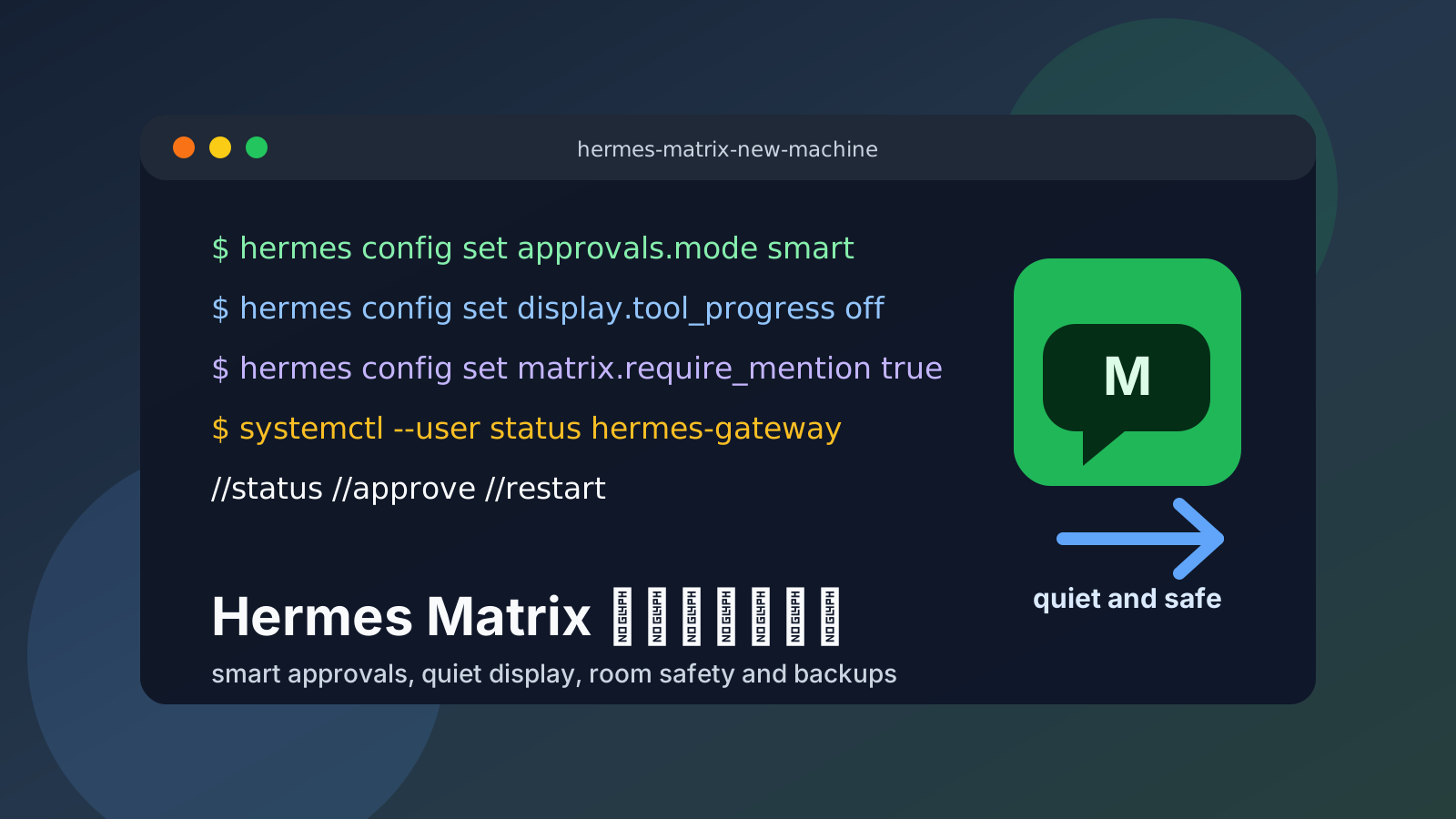
这篇用于新装 Hermes Agent 后,给 Matrix 机器人做一轮保守优化。目标不是把权限全部放开,而是让机器人在 Element 里更安静、更可控、更容易长期运行。
核心原则:
- Matrix 里只显示最终回答、必要心跳和少量工作进度。
- 使用
smart审批,危险操作仍要确认,不启用长期全局 YOLO/off。 - 限制 Matrix 入口范围,只让可信用户、可信房间触发机器人。
- Gateway 使用 systemd user 服务长期运行,必要时启用 linger。
- 配置、环境变量、sessions、memory、skills、cron、logs、auth/state 都要纳入备份。
- Dashboard 和 Gateway API 不要无认证暴露到公网。
配置是否合理
你给的新机优化 Prompt 整体方向是合理的,适合发给新系统里的新 Matrix 机器人执行。但建议做四点修正:
approvals.mode日常固定用smart。官方配置值是manual、smart、off;不要写hermes config set approvals.mode yolo,也不建议为了省事把配置长期改成off。如果确实需要临时批量初始化,可以另开一次性hermes --yolo进程,但做完仍以smart作为长期配置。- Matrix 安全入口不只看
allowed_rooms,还要重点检查MATRIX_ALLOWED_USERS或等价配置。官方 Matrix 文档强调要设置允许用户,否则 Gateway 会按安全默认拒绝用户。 allowed_rooms、free_response_rooms这类字段在不同版本里可能是字符串、逗号分隔环境变量或 YAML 列表。让机器人先读hermes config --help、hermes config show和当前配置,再决定写入形态,不要盲目手写。- Matrix 引用回复要把
platforms.matrix.reply_to_mode写成字符串"off",并确认代码读取的是config.reply_to_mode,不是config.extra.reply_to_mode。如果//new在 Element 里没有开新会话,还要检查 Matrix 消息层是否把//command规范化成/command。
一句话版本:
smart 审批 + Matrix allowed users/rooms + require mention + 安静 display + reply_to_mode="off" + //new 命令规范化 + systemd/linger + 私有加密备份。Element 常用命令速查
Element / Matrix 里继续用双斜杠 //,避免和普通 Matrix/Element slash 命令冲突。
| 命令 | 作用 |
|---|---|
//help | 帮助 |
//commands | 浏览全部命令 |
//status | 当前会话状态 |
//profile | 当前 profile 信息 |
//new / //reset | 开启新会话 |
//approve | 批准待确认操作 |
//deny | 拒绝待确认操作 |
//stop | 停止后台进程/任务 |
//model | 查看或切换模型 |
//reasoning | 查看或调整推理等级 |
//footer off | 关闭网关回复 footer |
//platforms | 查看平台连接状态 |
//restart | 重启 gateway |
其中最常用的是:
//status
//approve
//deny
//stop
//footer off
//restart
如果 //new 发出后仍然沿用旧会话上下文,通常不是用户输入错了,而是 Matrix Gateway 没有正确处理 Element 的双斜杠命令。修复方向是:Matrix 消息处理层收到 //command 时先规范化成 /command,让 Hermes 网关把 //new 当成 /new 命令,而不是普通文本或文件路径。
新机优化前先让机器人自检
不要让机器人直接改配置。第一步先让它读真实配置路径和当前版本帮助:
hermes --version
hermes config --help
hermes gateway --help
hermes config path
hermes config env-path
再读当前 profile 的 config.yaml 和 .env,但 .env 只允许确认变量名是否存在,不允许打印 token、API key、password、secret、cookie、SSH key。
如果机器能联网,再让它对照官方文档:
- Hermes Configuration:https://hermes-agent.nousresearch.com/docs/user-guide/configuration/
- Hermes Matrix:https://hermes-agent.nousresearch.com/docs/user-guide/messaging/matrix
- Hermes Messaging Gateway:https://hermes-agent.nousresearch.com/docs/user-guide/messaging/
推荐优化项
1. 备份当前配置
不要假设配置一定是 ~/.hermes/config.yaml。先用 Hermes 自己返回的路径:
CFG="$(hermes config path)"
cp "$CFG" "$CFG.bak.$(date +%Y%m%d-%H%M%S)"
如果有 profile,也要确认当前 profile 目录:
hermes config path
hermes config env-path
2. 审批模式用 smart
日常推荐:
hermes config set approvals.mode smartsmart 的意义是:低风险命令自动放行,高风险命令仍然提示确认。它比 manual 少打扰,比 off 安全,也更适合长期挂在 Matrix Gateway 上。
如果确实需要批量初始化,可以另开一次性进程临时使用:
hermes --yolo但全局配置仍保持:
hermes config set approvals.mode smart3. 关闭 Matrix 噪声
推荐先设置全局 display 安静项:
hermes config set display.background_process_notifications off
hermes config set display.cleanup_progress true
hermes config set display.interim_assistant_messages false
hermes config set display.tool_progress off
如果当前 Hermes 版本支持 per-platform display,也可以优先只收敛 Matrix:
hermes config set display.platforms.matrix.tool_progress off实际以 hermes config --help 和当前版本配置结构为准。
4. 限制 Matrix 入口
Matrix 至少检查这几项:
- Matrix homeserver
- Matrix user id
- Matrix access token 是否存在,不打印值
- Matrix device id
- encryption 是否启用
MATRIX_ALLOWED_USERS或等价配置- allowed rooms / require mention / free response rooms
保守原则:
- 可信用户才写入 allowed users。
- 群聊默认需要 mention。
- 不要让机器人在所有房间自由响应。
- 如果要免 @ 响应,只给可信 DM 或私有房间开 free response。
示例:
hermes config set matrix.require_mention true
hermes config set matrix.free_response_rooms ''
如果确认房间 ID 后只允许可信房间:
hermes config set matrix.allowed_rooms '!ROOMID:example.org'如果当前版本更推荐 .env,则使用环境变量形态:
MATRIX_ALLOWED_USERS=@your-user:example.org
MATRIX_REQUIRE_MENTION=true
MATRIX_FREE_RESPONSE_ROOMS=!trusted-room:example.org
这里最重要的是不要猜 room id。让机器人从当前 gateway 日志、Matrix 客户端 room info 或已有配置里确认。
5. 关闭 Matrix 回复引用块
优先写入平台配置,并把值保持为字符串:
hermes config set platforms.matrix.reply_to_mode '"off"'如果当前 Hermes 版本的 hermes config set 会把引号也写进值里,就直接编辑真实配置文件,把字段写成:
platforms:
  matrix:
    reply_to_mode: "off"
这项要验证到日志里读到字符串 off,例如:
Matrix: reply_to_mode='off' (config attribute='off')如果设置后 Element 里仍然出现引用块,要检查当前 Hermes 版本的 Matrix adapter 是否尊重 reply_to_mode=off。正确逻辑应该直接读取 config.reply_to_mode,不要从 config.extra.reply_to_mode 读取;判断时要区分 None 和空字符串,不要用会吞掉值的 or 链式写法。关闭 reply-to 时不要添加 m.relates_to.m_in_reply_to 这类引用 fallback;Matrix thread 元数据可以保留。
6. 检查 Matrix 工具集
如果 Matrix 只在自己的可信 DM 或私有房间里使用,可以保留较强工具集,方便运维。
如果机器人可能被拉进不可信群聊,不要默认开放过强工具。至少要让机器人汇报当前 Matrix 可用工具集:
python3 - <<'PY'
import yaml, json, subprocess
cfg_path = subprocess.check_output(["hermes", "config", "path"], text=True).strip()
cfg = yaml.safe_load(open(cfg_path, encoding="utf-8")) or {}
print(json.dumps(cfg.get("platform_toolsets"), ensure_ascii=False, indent=2))
PY
如需收窄 Matrix 工具集,可以考虑:
hermes config set platform_toolsets.matrix '["safe"]'但这会明显限制终端、文件、配置修改和排障能力。不要在依赖 Matrix 做日常运维时贸然收窄。
7. 检查 systemd user 服务和 linger
查看 gateway 服务:
systemctl --user list-units 'hermes*' --no-pager
systemctl --user status hermes-gateway.service --no-pager
如果使用 profile,服务名可能类似:
systemctl --user status hermes-gateway-code.service --no-pager确认用户退出 SSH 后 gateway 是否仍能运行:
loginctl show-user "$USER" -p Linger如果需要长期运行,且当前不是 Linger=yes:
sudo loginctl enable-linger "$USER"8. 检查 Dashboard 和 API 暴露风险
查看配置:
hermes config show | sed -n '/^dashboard:/,/^[^ ]/p'
hermes config show | sed -n '/^api_server:/,/^[^ ]/p'
查看监听端口:
ss -ltnp要求:
- 不要用
--insecure把 Dashboard 暴露到公网。 - 不要把 Gateway API 无认证绑定到公网地址。
- 如果发现
0.0.0.0:PORT或[::]:PORT,必须确认是什么进程。 - Dashboard 优先绑定
127.0.0.1,通过 SSH tunnel、Tailscale 或带认证的反代访问。
9. 确认备份范围
至少纳入备份:
- 当前 profile 的
config.yaml - 当前 profile 的
.env sessions/state.dbmemories/skills/cron/logs/auth.json或 credential pool 文件,如果存在- profile 目录:
~/.hermes/profiles/<name>/ - 默认 profile:
~/.hermes/config.yaml、~/.hermes/.env
注意:.env、auth.json、未脱敏 logs 可能包含密钥或 token。不要把这些明文提交到公开仓库。推荐用私有加密备份,例如 age、gpg、sops、restic、borg。
10. 修改后验证
至少运行:
hermes doctor
hermes gateway status
不要只看 doctor。还要做一次真实模型连通性检查:
hermes -z "请只回复:模型连通性测试通过"如果出现 provider failed,只汇报脱敏后的 provider、model、base_url 是否为预期、HTTP 状态码和简短错误原因。不要打印 token。
11. 延迟重启 gateway
不要在当前 Matrix 回复还没发完时直接重启 gateway。优先安排延迟重启。
先确认服务名:
systemctl --user list-units 'hermes*' --no-pager默认 profile 示例:
systemd-run --user --on-active=5s --unit=hermes-gateway-delayed-restart systemctl --user restart hermes-gateway.servicecode profile 示例:
systemd-run --user --on-active=5s --unit=hermes-gateway-code-delayed-restart systemctl --user restart hermes-gateway-code.service可直接发给新 Matrix 机器人的优化 Prompt
下面这段可以直接复制给新装机器上的 Matrix 机器人。它会先读配置、备份配置、再做保守优化。
你现在运行在一台刚安装好的 Hermes Agent 服务器上。请做一次保守的 Matrix Gateway 安装后优化,不要猜测不存在的配置字段,不要打印任何 token、API key、password、secret、cookie、SSH key。

目标:
1. Matrix bot 保持安静,只显示最终回答、必要心跳和少量工作进度。
2. 长期配置固定使用 smart 审批,保留危险操作确认,不启用全局 YOLO/off。
3. Gateway 能长期运行,并能随用户会话/系统重启恢复。
4. 配置、环境变量、sessions、memory、skills、cron、logs、auth/state 等关键数据纳入备份范围。
5. Dashboard 或 Gateway API 不无认证暴露到公网。
6. 限制 Matrix 入口范围:优先使用 allowed users、allowed rooms、require mention、pairing 或同等机制。
7. 如果 Matrix 会被拉进不可信群聊,不默认开放过强工具集;至少说明当前 Matrix 可用哪些工具集。

执行步骤:

1. 先读取版本、帮助和真实配置路径:
   - hermes --version
   - hermes config --help
   - hermes gateway --help
   - hermes config path
   - hermes config env-path
   - 当前 profile 的 config.yaml
   - 当前 profile 的 .env,但只确认变量名/是否存在,不打印值

2. 如果能联网,对照官方文档:
   - https://hermes-agent.nousresearch.com/docs/user-guide/configuration/
   - https://hermes-agent.nousresearch.com/docs/user-guide/messaging/matrix
   - https://hermes-agent.nousresearch.com/docs/user-guide/messaging/

3. 修改前备份真实配置文件:
   CFG="$(hermes config path)"
   cp "$CFG" "$CFG.bak.$(date +%Y%m%d-%H%M%S)"

4. 优先使用 hermes config set,不优先手写 YAML。

5. 设置 smart 审批,并把它作为长期配置:
   hermes config set approvals.mode smart

6. 设置安静显示:
   hermes config set display.background_process_notifications off
   hermes config set display.cleanup_progress true
   hermes config set display.interim_assistant_messages false
   hermes config set display.tool_progress off

7. 检查 Matrix 安全入口。只输出变量名和是否存在,不打印值。重点检查:
   - MATRIX_ALLOWED_USERS 或等价配置
   - Matrix homeserver
   - Matrix user id
   - Matrix access token 是否存在
   - Matrix device id
   - encryption 是否启用
   - allowed rooms / require mention / free response rooms

8. 设置 Matrix 入口限制。先识别可信用户和可信 room id,不要猜。保守默认:
   hermes config set matrix.require_mention true
   hermes config set matrix.free_response_rooms ''

   如确认可信房间:
   hermes config set matrix.allowed_rooms '!ROOMID:example.org'

   如当前版本更推荐环境变量或 YAML 列表,请按当前版本实际配置结构写入,不要硬套字符串。

9. 关闭 Matrix 回复引用块:
   hermes config set platforms.matrix.reply_to_mode '"off"'

   验证目标是配置里有 platforms.matrix.reply_to_mode: "off",并且 gateway 日志显示类似:
   Matrix: reply_to_mode='off' (config attribute='off')

   如果 Element 仍显示引用块,请检查当前版本 Matrix adapter 是否直接读取 config.reply_to_mode,而不是 config.extra.reply_to_mode;判断逻辑要区分 None 和空字符串,不要用会吞掉值的 or 链式写法。

10. 检查 platform_toolsets。输出当前 Matrix 工具集;如果 Matrix 会被拉进不可信群聊,说明是否需要收窄到 safe:
    hermes config set platform_toolsets.matrix '["safe"]'
    但不要在用户依赖 Matrix 做运维时贸然收窄。

11. 验证 Element 双斜杠命令,尤其是新会话:
    - 在 Element 里发 //new 后,应该由 Hermes Gateway 开新会话,不再携带旧上下文。
    - 如果 //new 没生效,检查 Matrix 消息处理层是否把 //command 规范化成 /command。
    - //new 规范化后应作为 /new 命令进入网关,不应被误判为文件路径或普通文本。

12. 检查 systemd user 服务:
    systemctl --user list-units 'hermes*' --no-pager
    systemctl --user status hermes-gateway.service --no-pager
    如有 profile,检查对应 profile 服务名。

13. 检查 linger:
    loginctl show-user "$USER" -p Linger
    如需要退出 SSH 后 Gateway 继续运行,且不是 Linger=yes,说明原因后执行:
    sudo loginctl enable-linger "$USER"

14. 检查 Dashboard / Gateway API 是否有公网裸露风险:
    hermes config show | sed -n '/^dashboard:/,/^[^ ]/p'
    hermes config show | sed -n '/^api_server:/,/^[^ ]/p'
    ss -ltnp

15. 确认备份范围至少包括:
    - 当前 profile 的 config.yaml
    - 当前 profile 的 .env
    - sessions/
    - state.db
    - memories/
    - skills/
    - cron/
    - logs/
    - auth.json 或 credential pool 文件,如果存在
    - ~/.hermes/profiles/<name>/
    - 默认 profile 的 ~/.hermes/config.yaml 和 ~/.hermes/.env

16. 修改后运行:
    hermes doctor
    hermes gateway status
    hermes -z "请只回复:模型连通性测试通过"

17. 如果需要让配置立即生效,先确认服务名,再安排延迟重启,不要直接切断当前回复:
    systemctl --user list-units 'hermes*' --no-pager
    systemd-run --user --on-active=5s --unit=hermes-gateway-delayed-restart systemctl --user restart hermes-gateway.service

18. 最后给出变更摘要,必须包含:
    - 修改了哪个配置文件
    - 备份文件路径
    - 改了哪些字段
    - 哪些命令成功
    - hermes doctor 结果
    - hermes gateway status 结果
    - systemd user 服务是否 active/running
    - Linger=yes 是否确认
    - 模型连通性是否真实通过
    - Dashboard/API 是否没有无认证公网暴露
    - Matrix allowed users / allowed rooms / require mention / free response rooms 当前状态
    - Matrix reply_to_mode 是否读到字符串 "off",日志是否确认
    - Element //new 是否会开新会话
    - Matrix 当前 platform_toolsets 是什么
    - 是否已安排延迟重启
    - 哪些地方需要人工确认

限制:
- 不要删除现有配置。
- 不要打印 API Key、Telegram Token、Matrix Access Token、SSH 密钥、cookie 或密码。
- 不要把 Dashboard 的 --insecure 服务暴露到公网。
- 不要启用长期 approvals.mode off。
- 不要运行破坏性命令。
- 不要编造命令输出、测试结果或日志内容;必须用真实工具输出验证。