
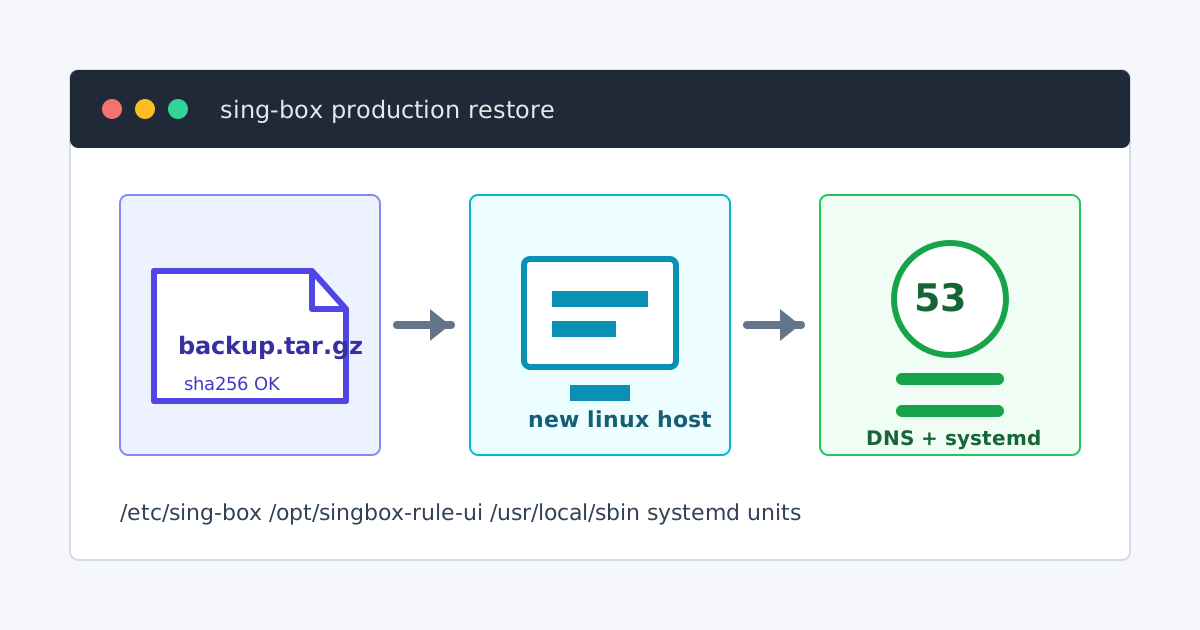
这篇文章讲一件事:不依赖 GitHub,不在新机器跑远程一键安装脚本,只从现有生产机生成一个离线备份包,然后在新机器上一键恢复同一套 sing-box 网关。
我把流程整理成两个脚本:
- backup-sing-box-production.sh:在旧生产机执行,生成
.tar.gz和.sha256。 - restore-sing-box-production.sh:在新机器执行,校验备份包、备份现有文件、恢复服务并启动。
恢复包里通常包含代理节点、Rule UI token、Clash secret、自定义规则和真实网络地址,它不是公开下载包。生成后只放在你自己的可信机器或加密备份里,不要发到公开仓库、公开网盘或聊天群。
能恢复什么
当前脚本按本地生产结构收集并恢复这些内容:
/etc/sing-box/                                  # 主配置、UI 管理配置、自定义规则、token
/opt/singbox-rule-ui/                           # 9091 Rule UI 后端和静态前端
/usr/local/bin/sing-box                         # sing-box 二进制
/usr/local/bin/sing-box-gateway-info            # 查看 UI 地址和 token
/usr/local/bin/sing-box-gateway-uninstall       # 卸载辅助脚本
/usr/local/sbin/refresh-sing-box-runtime-config # 重渲染 config.json
/usr/local/sbin/refresh-sing-box-tproxy-setup   # 按当前网卡/IP 重生成 TProxy 脚本
/usr/local/sbin/sing-box-tproxy-setup           # 应用 nftables 与策略路由
/usr/local/sbin/update-sing-box-rules-jsdelivr  # 更新 geosite/geoip 与 Telegram CIDR
/usr/local/sbin/monitor-sing-box-runtime        # 运行状态自愈检查
/etc/systemd/system/*.service 和 *.timer
/etc/sysctl.d/99-sing-box-tproxy.conf
/etc/systemd/journald.conf.d/90-sing-box-gateway.conf
也就是说,它恢复的是整台旁路网关的运行边界,不只是某个 config.json。
适用条件
新机器建议满足:
- Debian 12/13 或 Ubuntu 22.04/24.04/25.04。
- systemd 正常可用。
- root 权限可用。
- CPU 架构和旧生产机一致,例如旧机器是
x86_64,新机器也应是x86_64。 - 用于 LAN DNS 的
53端口没有被其它 DNS 服务长期占用。
如果旧生产机是 amd64,新机器是 arm64,不要直接恢复备份包里的 /usr/local/bin/sing-box。配置可以参考,但二进制必须换成同版本 arm64,再重新 sing-box check。
旧生产机:先确认状态
在旧生产机上先确认服务是好的。否则你只是把坏状态打包带走。
sudo -i

hostname
uname -m
uname -r
/usr/local/bin/sing-box version
systemctl is-active sing-box.service sing-box-tproxy.service singbox-rule-ui.service update-sing-box-rules-jsdelivr.timer monitor-sing-box-runtime.timer
ss -ltnup | grep -E ':(53|9090|9091|9888)\b' || true
/usr/local/bin/sing-box check -c /etc/sing-box/config.json
正常目标:
sing-box check通过。sing-box、sing-box-tproxy、singbox-rule-ui是 active。update-sing-box-rules-jsdelivr.timer和monitor-sing-box-runtime.timer至少应能正常查询。53、9090、9091、9888端口符合你当前生产机预期。
旧生产机:一键生成备份包
把备份脚本放到旧生产机:
cd /root
nano backup-sing-box-production.sh
把 backup-sing-box-production.sh 的内容粘进去,然后执行:
chmod +x /root/backup-sing-box-production.sh
/root/backup-sing-box-production.sh
默认输出在 /root/:
/root/sing-box-production-manual-restore-20260615-103000.tar.gz
/root/sing-box-production-manual-restore-20260615-103000.tar.gz.sha256
如果想改输出目录:
BACKUP_OUTPUT_DIR=/root/backups /root/backup-sing-box-production.sh脚本会自动生成 manifest/,里面记录原机器架构、sing-box 版本、systemd 单元、监听端口、路由表和 nft 规则,方便恢复前后核对。
传到新机器
从旧生产机复制到新机器:
scp /root/sing-box-production-manual-restore-*.tar.gz* root@新机器IP:/root/也可以用 U 盘、SFTP、内网文件服务器或 Syncthing。原则只有一个:.tar.gz 和 .sha256 必须一起带走。
新机器:准备恢复脚本
在新机器上:
sudo -i
cd /root
nano restore-sing-box-production.sh
把 restore-sing-box-production.sh 的内容粘进去:
chmod +x /root/restore-sing-box-production.sh先看新机器 IP 和网卡:
ip -br link
ip -o -4 addr show scope global
ip -o -6 addr show scope global
ip route get 1.1.1.1
新机器:一键恢复
最常见用法:
/root/restore-sing-box-production.sh /root/sing-box-production-manual-restore-20260615-103000.tar.gz脚本会显示它识别到的旧 LAN IPv4、新 LAN IPv4、是否替换 IPv6 DNS、是否更换 token,然后要求输入 yes 才继续。
如果你希望完全非交互执行:
ASSUME_YES=1 /root/restore-sing-box-production.sh /root/sing-box-production-manual-restore-20260615-103000.tar.gz如果自动识别的新 IP 不对,手动指定:
NEW_LAN_IPV4=10.20.20.16 /root/restore-sing-box-production.sh /root/sing-box-production-manual-restore-20260615-103000.tar.gz如果自动识别旧生产机 IP 不对,旧生产机是 10.20.20.6,新机器是 10.20.20.16:
OLD_LAN_IPV4=10.20.20.6 \
NEW_LAN_IPV4=10.20.20.16 \
/root/restore-sing-box-production.sh /root/sing-box-production-manual-restore-20260615-103000.tar.gz
如果旧 IPv6 DNS 监听地址也要替换:
OLD_LAN_IPV6_DNS=fd00::6 \
NEW_LAN_IPV6_DNS=fd88::1616 \
/root/restore-sing-box-production.sh /root/sing-box-production-manual-restore-20260615-103000.tar.gz
如果备份包曾经离开可信环境,建议恢复时重新生成 Rule UI token:
ROTATE_RULE_UI_TOKEN=1 /root/restore-sing-box-production.sh /root/sing-box-production-manual-restore-20260615-103000.tar.gz如果你不确定 IPv6 FakeIP 路由有没有配好,可以先关闭 IPv6 FakeIP / AAAA,只跑 IPv4 FakeIP:
DISABLE_IPV6_FAKEIP=1 /root/restore-sing-box-production.sh /root/sing-box-production-manual-restore-20260615-103000.tar.gz这些选项可以组合:
ASSUME_YES=1 \
OLD_LAN_IPV4=10.20.20.6 \
NEW_LAN_IPV4=10.20.20.16 \
OLD_LAN_IPV6_DNS=fd00::6 \
NEW_LAN_IPV6_DNS=fd88::1616 \
ROTATE_RULE_UI_TOKEN=1 \
DISABLE_IPV6_FAKEIP=1 \
/root/restore-sing-box-production.sh /root/sing-box-production-manual-restore-20260615-103000.tar.gz
恢复脚本会做什么
恢复脚本的顺序是:
- 安装或提示基础依赖:
python3、iproute2、nftables、rsync、dnsutils、openssl等。 - 校验
.sha256,解压备份包到/root/。 - 检查包里是否有
/etc/sing-box和/opt/singbox-rule-ui。 - 识别新机器 LAN IPv4,识别备份包里的旧 LAN IPv4。
- 备份新机器现有文件到
/root/pre-sing-box-restore-时间戳/。 - 停止旧的 sing-box 服务和 timer,清理旧 nft TProxy 表。
- 如果
systemd-resolved占用 53,关闭它的本地 stub,只释放端口,不改/etc/resolv.conf上游。 - 把备份包里的文件复制回原路径。
- 替换旧 IPv4 到新 IPv4;按环境变量替换 IPv6 DNS。
- 按需要重新生成 Rule UI token,按需要关闭 IPv6 FakeIP。
- 执行
refresh-sing-box-tproxy-setup、refresh-sing-box-runtime-config和sing-box check。 - 启动并启用
sing-box、sing-box-tproxy、singbox-rule-ui、规则更新 timer 和运行自愈 timer。
如果 sing-box check 不通过,脚本会停在启动服务之前。
恢复后验证
脚本最后会输出服务状态、监听端口、Rule UI token 和访问地址。你也可以手动确认:
systemctl status --no-pager sing-box-tproxy.service
systemctl status --no-pager sing-box.service
systemctl status --no-pager singbox-rule-ui.service
systemctl list-timers --all | grep -E 'update-sing-box-rules|monitor-sing-box-runtime' || true
ss -ltnup | grep -E ':(53|9090|9091|9888)\b' || true
用新机器自己的 LAN IPv4 测 DNS,不要测 127.0.0.1:
new_v4='10.20.20.16'
dig @"$new_v4" apple.com A +short
dig @"$new_v4" www.google.com A +short
dig @"$new_v4" www.google.com AAAA +short
如果关闭了 IPv6 FakeIP,国外域名的 A 应该返回 28.x.x.x 这类 IPv4 FakeIP,AAAA 通常为空或被拒绝。
打开 Rule UI:
http://新机器IP:9091/登录 token:
cat /etc/sing-box/rule-ui/token进 UI 后至少看这几处:
- 节点页能打开。
- 默认节点不是空的。
- 规则页能保存。
- 维护页能看到服务状态。
- 日志和连接列表能读取。
路由器侧要改什么
新机器服务跑起来以后,客户端还不会自动使用它。你还要在前端路由器、RouterOS、OpenWrt 或客户端上做这些事:
- DHCP 下发的 DNS 指向新 sing-box 机器 IPv4,或在软路由上把客户端 DNS 转发到新机器。
- 如果启用 IPv6 DNS,RA/RDNSS 或 DHCPv6 的 DNS 要按你的网络规划指向新机器 IPv6。
- FakeIP IPv4 网段,例如
28.0.0.0/8,要路由到新机器。 - 如果启用 IPv6 FakeIP,IPv6 FakeIP
/64也要路由到新机器。 - FastTrack、硬件加速、旁路由捷径规则不能抢先放行本该进 TProxy 的 FakeIP 流量。
这篇文章不直接给可复制的 RouterOS 全量规则,因为每个人的 bridge、LAN 网段、IPv6 前缀、路由表名都不同。原则是:客户端拿到 FakeIP 后,下一跳必须回到 sing-box 机器。
常见问题
53 端口启动失败
看占用:
ss -ltnup | grep -E ':53\b' || true如果是 systemd-resolved,关闭 DNSStubListener。如果是其它 DNS 服务,停掉或改端口。sing-box 做 LAN DNS 时必须拿到 53。
UI 打不开
检查 9091 和服务日志:
ss -ltnup | grep ':9091\b' || true
journalctl -u singbox-rule-ui.service -n 100 --no-pager
确认防火墙没有拦 9091,且 singbox-rule-ui.service 的 RULE_UI_HOST=0.0.0.0。
sing-box 反复重启
先看配置检查:
/usr/local/bin/sing-box check -c /etc/sing-box/config.json
journalctl -u sing-box.service -n 160 --no-pager
常见原因是 JSON 改坏、节点字段缺失、规则文件缺失、监听 IP 不存在。
TProxy 不生效
检查脚本和 nft:
/usr/local/sbin/refresh-sing-box-tproxy-setup
systemctl restart sing-box-tproxy.service
nft list ruleset | grep -n 'singbox_tproxy' -A80
ip rule show
ip route show table 100
如果 nft 表存在但客户端仍不走代理,重点查前端路由器有没有把 FakeIP 网段送到 sing-box。
规则更新失败
手动跑一次:
RULE_UPDATE_RESTART=0 /usr/local/sbin/update-sing-box-rules-jsdelivr
journalctl -u update-sing-box-rules-jsdelivr.service -n 120 --no-pager
当前规则更新脚本会绕开本机 FakeIP DNS,优先使用配置的镜像源,失败时保留旧规则。不要因为一次下载失败就删除旧规则文件。
回滚
恢复脚本每次都会先备份新机器现有文件,目录类似:
/root/pre-sing-box-restore-20260615-103000/如果恢复失败,先停服务并清理 TProxy:
systemctl stop monitor-sing-box-runtime.timer 2>/dev/null || true
systemctl stop update-sing-box-rules-jsdelivr.timer 2>/dev/null || true
systemctl stop singbox-rule-ui.service 2>/dev/null || true
systemctl stop sing-box.service 2>/dev/null || true
systemctl stop sing-box-tproxy.service 2>/dev/null || true
nft delete table inet singbox_tproxy 2>/dev/null || true
再找到恢复前备份:
ls -ld /root/pre-sing-box-restore-*按实际目录手动复制回去。不要在没确认备份目录前删除 /etc/sing-box 或 /opt/singbox-rule-ui。
如果这台新机器本来就是干净机器,只想清掉本次恢复,也可以运行:
/usr/local/bin/sing-box-gateway-uninstall最后检查清单
恢复完成后逐项确认:
.tar.gz通过sha256sum -c校验。- 新机器架构和备份包里的 sing-box 二进制一致。
/usr/local/bin/sing-box check -c /etc/sing-box/config.json通过。sing-box.service、sing-box-tproxy.service、singbox-rule-ui.service正常 active。update-sing-box-rules-jsdelivr.timer和monitor-sing-box-runtime.timer已启用。ss -ltnup能看到 53、9090、9091、9888。dig @新机器IP www.google.com A能返回 FakeIP。- Rule UI 能登录,节点、规则、维护页、日志和连接列表能打开。
- 客户端或前端路由器的 DNS 已指向新机器。
- FakeIP IPv4/IPv6 网段已经路由回新机器。
只要文件、二进制、systemd、TProxy、DNS 和上游路由器这几层都对齐,新机器就能按旧生产机的方式接管。