
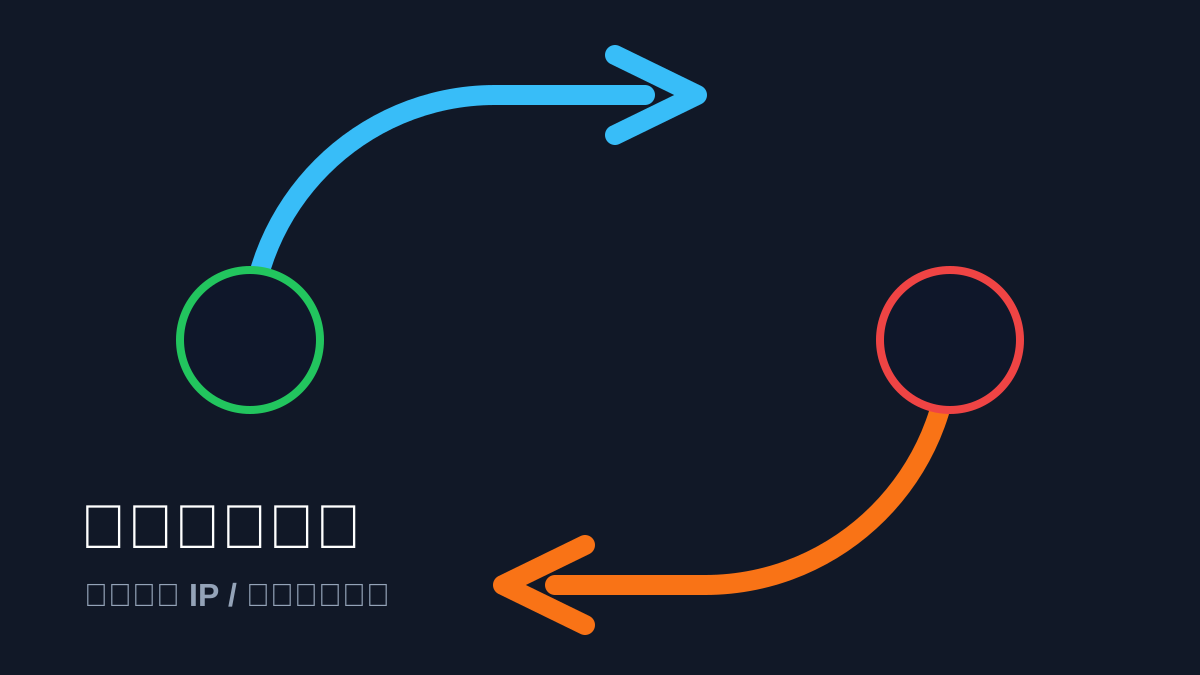
内网的dst-nat要加外网接口如pppoe-out1
1. 为什么需要回流?
当你从内网请求公网 IP 时,ROS 收到包后转发给内网服务器,但服务器发现请求方和自己在同一个网段,会直接把回包传给手机。手机发现自己发给公网 IP 的请求却收到了来自内网私有 IP 的响应,会因为安全机制直接丢弃该包。回流规则通过让 ROS 中转这个“回头包”来解决这个问题。
2. 完整的 ROS NAT 脚本(包含 Web 回流)
请根据你的实际端口修改 12335 (Web) 和 21 (FTP) 等。
/ip firewall nat
# --- 基础规则 ---
# 1. 核心上网伪装(必须限制在 WAN 口,防止干扰其他转发)
add chain=srcnat action=masquerade out-interface=pppoe-out1 comment="Standard Internet Access"
# --- 端口转发 (DST-NAT) ---
# 2. DERP 转发
add chain=dstnat protocol=tcp dst-port=12340 action=dst-nat to-addresses=10.20.20.4 to-ports=12340 comment="DERP TCP"
add chain=dstnat protocol=udp dst-port=3478 action=dst-nat to-addresses=10.20.20.4 to-ports=3478 comment="DERP STUN"
# 3. Web 服务转发 (示例)
add chain=dstnat protocol=tcp dst-port=12335 action=dst-nat to-addresses=10.20.20.x to-ports=12335 comment="web"
# 4. FTP 服务转发 (示例)
add chain=dstnat protocol=tcp dst-port=21 action=dst-nat to-addresses=10.20.20.x to-ports=21 comment="vsftpd"
# --- 回流规则 (Hairpin NAT) ---
# 只有当内网访问内网服务器时才触发。建议将所有内网服务器放在一个规则里,或者逐个添加。
# 给 DERP 添加回流
add chain=srcnat src-address=10.20.20.0/24 dst-address=10.20.20.4 protocol=tcp dst-port=12340 action=masquerade comment="Hairpin DERP TCP"
add chain=srcnat src-address=10.20.20.0/24 dst-address=10.20.20.4 protocol=udp dst-port=3478 action=masquerade comment="Hairpin DERP STUN"
# 给 Web 服务添加回流 (假设内网 IP 为 10.20.20.5)
add chain=srcnat src-address=10.20.20.0/24 dst-address=10.20.20.5 protocol=tcp dst-port=12335 action=masquerade comment="Hairpin Web"
3. 操作建议:使用“地址列表”简化回流
如果你有很多内网服务器需要回流,一条条加 srcnat 很麻烦。你可以这样做:
在 IP -> Firewall -> Address Lists 里,把所有内网服务器 IP 加到一个叫 Internal_Servers 的列表。
- 操作步骤
请在 WinBox 中按照以下两步配置:
第一步:建立服务器地址列表
在 IP -> Firewall -> Address Lists 中,将你所有需要从内网访问的服务器 IP 加入列表:
Name: Internal_Servers | Address: 10.20.20.4 (DERP 服务器)
Name: Internal_Servers | Address: 10.20.20.5 (Web 服务器)
(依此类推,将所有有端口转发需求的内网 IP 都加进去)
第二步:添加全局回流规则
在 IP -> Firewall -> NAT 中添加这一条(确保它在所有 dst-nat 规则之后,但在基础 masquerade 规则之前,或者紧随其后):
代码段
/ip firewall nat
add chain=srcnat src-address=10.20.20.0/24 dst-address-list=Internal_Servers action=masquerade comment="Global Hairpin NAT"
使用 Address List(地址列表) 的方式最为高效,不需要在 NAT 规则里指定端口。
当请求的目标地址匹配列表中的 IP 时,RouterOS 会自动对所有协议(TCP/UDP/ICMP 等)和所有端口执行回流操作。
规则排序 例:
/ip firewall nat
# ====================
# 第一部分:端口映射 (DSTNAT - 外部访问内网)
# ====================
# 将外部网络 (WAN 列表) 对 80/443 端口的访问,转发给内网服务器 (以你的 10.20.20.10 为例)
add chain=dstnat action=dst-nat dst-port=80,443 in-interface-list=WAN protocol=tcp to-addresses=10.20.20.10 comment="Web Server Port Forward from WAN"
# ====================
# 第二部分:源地址伪装 (SRCNAT - 内网访问外部)
# ====================
# 1. Hairpin NAT (内网回流,必须放在全局伪装之前)
# 作用:确保内网设备通过公网域名访问内网服务器时,数据包能在路由器内部正确折返
add chain=srcnat action=masquerade src-address=10.20.20.0/24 dst-address-list=Internal_Servers comment="Global Hairpin NAT"
# 2. 全局上网伪装 (全局兜底,必须放在 srcnat 链的最底部)
# 作用:所有从 WAN 列表物理或虚拟接口发出的流量,全部转换并伪装为路由器的公网 IP
add chain=srcnat action=masquerade out-interface-list=WAN comment="Global Internet Masquerade"
至此,你的 RouterOS 防火墙底层重构就已经全部完成,既满足了旁路由科学上网的苛刻要求,又具备了企业级的扩展能力。
4. 验证 Web 服务
外网测试:手机关 Wi-Fi,访问域名,确认 Web 正常。
内网测试:手机连 Wi-Fi,访问同一个域名。如果能打开,说明回流配置成功。
5. 配套的防火墙规则,也是我自用的
特别强调:如果使用了小包优先规则配置,必须停用下面所有配置中的fasttrack-connection 硬件加速规则
RouterOS 默认开启了 Fasttrack(硬件加速),该功能会强制数据包绕过 Mangle 标记和 Queue Tree 排队,如果不处理,所有 QoS 配置均无效。
ipv4防火墙配置
安全清空旧防火墙规则 使用带有 dynamic=no 参数的清理命令,只抹除手工配置的静态规则,避开系统底层的内置保护规则。
代码段
/ip firewall filter remove [find dynamic=no]
/ipv6 firewall filter remove [find dynamic=no]
带添加旁路由ip规则版 (mosdns+sb):
/ip firewall filter
# ====================
# 入站链 (INPUT) - 访问路由器本身
# ====================
add action=accept chain=input comment="1. Accept established,related,untracked" connection-state=established,related,untracked
add action=drop chain=input comment="2. Drop invalid" connection-state=invalid
add action=accept chain=input comment="3. Accept bridge1 (Internal Admin)" in-interface=bridge1
# 防爆破逻辑 (针对 3981, 2222 端口)
add action=drop chain=input comment="4. Drop Bruteforce IPs" dst-port=3981,2222 protocol=tcp src-address-list=bruteforce_blacklist
add action=accept chain=input comment="5. Accept limited connections" connection-limit=10,32 dst-port=3981,2222 protocol=tcp
add action=add-src-to-address-list address-list=bruteforce_blacklist address-list-timeout=3d chain=input comment="6. Add to Bruteforce List" dst-port=3981,2222 protocol=tcp
add action=drop chain=input comment="7. Drop excess packets" dst-port=3981,2222 protocol=tcp
# WAN口丢弃与兜底
add action=drop chain=input comment="8. Drop ICMP from WAN" in-interface=pppoe-out1 protocol=icmp
add action=drop chain=input comment="9. Drop all other input from WAN" in-interface=pppoe-out1
# ====================
# 转发链 (FORWARD) - 穿过路由器 (外网内网)
# ====================
# 1. 旁路由豁免 (必须放在 Fasttrack 和 Invalid 丢弃之前)
add action=accept chain=forward comment="1. Bypass Fasttrack & Tracking: sing-box out" src-address=10.20.20.6
add action=accept chain=forward comment="2. Bypass Fasttrack & Tracking: sing-box in" dst-address=10.20.20.6
# 2. 硬件加速 (处理内网其他正常不走代理的直连流量)
add action=fasttrack-connection chain=forward comment="3. Fasttrack" connection-state=established,related
# 3. 基础状态放行
add action=accept chain=forward comment="4. Accept established,related,untracked" connection-state=established,related,untracked
# 4. 内网正常转发与端口映射放行
add action=accept chain=forward comment="6. Allow bridge1 forward (Internal Outbound)" in-interface=bridge1
add action=accept chain=forward comment="7. Allow DSTNAT (Port Forwarding)" connection-nat-state=dstnat in-interface=pppoe-out1
# 5. 全局兜底拦截 (零信任原则)
add action=drop chain=forward comment="8. Drop all other forward"
转发链 (FORWARD)特别说明:
FORWARD链“旁路由豁免”填入你的mos+sb的ip
INPUT链“3981, 2222端口”填入你的winbox,ssh等相关对外开放的端口
不添加旁路由ip规则版:
/ip firewall filter
# ====================
# 入站链 (INPUT) - 访问路由器本身
# ====================
add action=accept chain=input comment="1. Accept established,related,untracked" connection-state=established,related,untracked
add action=drop chain=input comment="2. Drop invalid" connection-state=invalid
add action=accept chain=input comment="3. Accept bridge1 (Internal Admin)" in-interface=bridge1
# 防爆破逻辑 (针对 3981, 2222 端口)
add action=drop chain=input comment="4. Drop Bruteforce IPs" dst-port=3981,2222 protocol=tcp src-address-list=bruteforce_blacklist
add action=accept chain=input comment="5. Accept limited connections" connection-limit=10,32 dst-port=3981,2222 protocol=tcp
add action=add-src-to-address-list address-list=bruteforce_blacklist address-list-timeout=3d chain=input comment="6. Add to Bruteforce List" dst-port=3981,2222 protocol=tcp
add action=drop chain=input comment="7. Drop excess packets" dst-port=3981,2222 protocol=tcp
# WAN口丢弃与兜底
add action=drop chain=input comment="8. Drop ICMP from WAN" in-interface=pppoe-out1 protocol=icmp
add action=drop chain=input comment="9. Drop all other input from WAN" in-interface=pppoe-out1
# ====================
# 转发链 (FORWARD) - 穿过路由器 (外网内网)
# ====================
# 1. 硬件加速 (处理内网其他正常不走代理的直连流量)
add action=fasttrack-connection chain=forward comment="3. Fasttrack" connection-state=established,related
# 2. 基础状态放行
add action=accept chain=forward comment="4. Accept established,related,untracked" connection-state=established,related,untracked
# 3. 丢弃无效包 (放在旁路由之后,防止非对称路由回程包被误杀)
add action=drop chain=forward comment="5. Drop invalid" connection-state=invalid
# 4. 内网正常转发与端口映射放行
add action=accept chain=forward comment="6. Allow bridge1 forward (Internal Outbound)" in-interface=bridge1
add action=accept chain=forward comment="7. Allow DSTNAT (Port Forwarding)" connection-nat-state=dstnat in-interface=pppoe-out1
# 5. 全局兜底拦截 (零信任原则)
add action=drop chain=forward comment="8. Drop all other forward"
转发链 (FORWARD)特别说明:
第5条“DST-NAT"规则:在 IPv4 的 Forward 链中,我加入了一条 connection-nat-state=dstnat。这确保了你在 IP -> Firewall -> NAT 中做的端口映射能够穿透 forward 的兜底 drop 规则。 内网互通:只要数据包进入 bridge1 接口,就会被 Allow bridge1 forward 捕获并放行,不会受到最后一条 drop 的影响。 这样配置后,局域网内的 PT 下载、NAS 外部大文件传输等不走 10.20.20.6 的直连流量依然可以享受硬件加速降低 CPU 负载,而 sing-box 进出的流量则由 CPU 稳妥处理,互不干扰
ipv6防火墙配置
添加旁路由ip规则版 (mosdns+sb)
/ipv6 firewall filter
# ====================
# 入站链 (INPUT) - 保护路由器本体
# ====================
add action=accept chain=input comment="1. Accept established,related,untracked" connection-state=established,related,untracked
add action=drop chain=input comment="2. Drop invalid" connection-state=invalid
add action=accept chain=input comment="3. Accept ICMPv6 (Critical for IPv6)" protocol=icmpv6
add action=accept chain=input comment="4. Allow DHCPv6 Client from WAN" dst-port=546 in-interface=pppoe-out1 protocol=udp src-address=fe80::/10
add action=accept chain=input comment="5. Allow bridge1 (Internal Admin)" in-interface=bridge1
add action=drop chain=input comment="6. Drop all not from bridge1" in-interface=!bridge1
# ====================
# 转发链 (FORWARD) - 穿过路由器 (外网内网)
# ====================
# 1. 旁路由豁免 (必须放在 Fasttrack 和 Invalid 丢弃之前)
add action=accept chain=forward comment="1. Bypass Fasttrack & Tracking: sing-box out" src-address=fd88::6666
add action=accept chain=forward comment="2. Bypass Fasttrack & Tracking: sing-box in" dst-address=fd88::6666
# 2. 硬件加速 (处理正常不走代理的 IPv6 直连流量)
add action=fasttrack-connection chain=forward comment="3. Fasttrack" connection-state=established,related
# 3. 基础状态放行
add action=accept chain=forward comment="4. Accept forward established,related,untracked" connection-state=established,related,untracked
# 4. 核心协议与内网放行
add action=accept chain=forward comment="6. Accept Forward ICMPv6" protocol=icmpv6
add action=accept chain=forward comment="7. Allow bridge1 forward (Internal Outbound)" in-interface=bridge1
# --- 暴露内网服务 (注意:替换为实际公网 IPv6 地址后再按需启用) ---
add action=accept chain=forward comment="8. Allow NPM (HTTP/HTTPS)" disabled=yes dst-address=240e::xxxx:xxxx dst-port=80,443 protocol=tcp
add action=accept chain=forward comment="9. Allow Hysteria2/Proxy" disabled=yes dst-address=240e::xxxx:xxxx dst-port=36789 protocol=udp
add action=accept chain=forward comment="10. Allow Shadowsocks" disabled=yes dst-address=240e::xxxx:xxxx dst-port=36789 protocol=tcp
# 5. 兜底拦截 (零信任原则)
add action=drop chain=forward comment="11. Drop all other forward (Protect LAN)"
关键提醒: 修改旁路由的ip为你的ipv6地址 如果你的宽带是动态 IPv6 前缀(PD),服务器的完整 IPv6 地址会变化。这种情况下,不应直接写死 dst-address,而是需要结合 MikroTik 的 IPv6 Firewall Address Lists 功能,或者使用 in-interface=pppoe-out1 配合 out-interface=bridge1 加上特定设备的特定匹配规则(比如通过防火墙脚本动态更新)。
IPv4 依靠 NAT,不主动映射外部进不来;但 IPv6 是端到端直通(没有 NAT)。 你在 forward 链中放行 dst-port=80,443,却没有指定目标地址 (dst-address)。一旦启用,这代表公网可以访问你局域网内所有设备的 80 和 443 端口(包括光猫、路由器后台、智能家居、其他电脑等)。
正确做法:必须严格绑定目标服务器的 IPv6 地址(dst-address=服务器IPv6地址),或者通过 MAC 地址自动获取到的 IPv6 后缀。
不添加旁路由ip规则版 (mosdns+sb):
/ipv6 firewall filter
# ====================
# 入站链 (INPUT) - 保护路由器本体
# ====================
add action=accept chain=input comment="1. Accept established,related,untracked" connection-state=established,related,untracked
add action=drop chain=input comment="2. Drop invalid" connection-state=invalid
add action=accept chain=input comment="3. Accept ICMPv6 (Critical for IPv6)" protocol=icmpv6
add action=accept chain=input comment="4. Allow DHCPv6 Client from WAN" dst-port=546 in-interface=pppoe-out1 protocol=udp src-address=fe80::/10
add action=accept chain=input comment="5. Allow bridge1 (Internal Admin)" in-interface=bridge1
add action=drop chain=input comment="6. Drop all not from bridge1" in-interface=!bridge1
# ====================
# 转发链 (FORWARD) - 穿过路由器 (外网内网)
# ====================
# 1. 硬件加速 (处理正常不走代理的 IPv6 直连流量)
add action=fasttrack-connection chain=forward comment="3. Fasttrack" connection-state=established,related
# 2. 基础状态放行
add action=accept chain=forward comment="4. Accept forward established,related,untracked" connection-state=established,related,untracked
# 3. 丢弃无效包 (防止旁路由非对称回程包被误杀)
add action=drop chain=forward comment="5. Drop invalid" connection-state=invalid
# 4. 核心协议与内网放行
add action=accept chain=forward comment="6. Accept Forward ICMPv6" protocol=icmpv6
add action=accept chain=forward comment="7. Allow bridge1 forward (Internal Outbound)" in-interface=bridge1
# --- 暴露内网服务 (注意:替换为实际公网 IPv6 地址后再按需启用) ---
add action=accept chain=forward comment="8. Allow NPM (HTTP/HTTPS)" disabled=yes dst-address=240e::xxxx:xxxx dst-port=80,443 protocol=tcp
add action=accept chain=forward comment="9. Allow Hysteria2/Proxy" disabled=yes dst-address=240e::xxxx:xxxx dst-port=36789 protocol=udp
add action=accept chain=forward comment="10. Allow Shadowsocks" disabled=yes dst-address=240e::xxxx:xxxx dst-port=36789 protocol=tcp
# 5. 兜底拦截 (零信任原则)
add action=drop chain=forward comment="11. Drop all other forward (Protect LAN)"解释:为什么添加路由ip后要删除屏蔽无效包:即:FORWARD 链 Drop invalid
这是因为新加入的 FORWARD 链 Drop invalid(丢弃无效包)规则,与你的旁路由(10.20.20.6)网络架构产生了冲突,导致 RouterOS 误杀了部分正常的 UDP 游戏流量和 Telegram 的初始握手包。
科学依据
在你的网络拓扑中,客户端将网关指向了 10.20.20.6(旁路由)。 当访问不经过代理的直连网络(如国内流量、部分 P2P/UDP 游戏节点)时,往往会产生非对称路由:
- 去程:客户端 -> 旁路由 (10.20.20.6) -> 主路由 (ROS) -> 互联网。
- 回程:互联网 -> 主路由 (ROS) -> 直接交回给客户端(因为都在 bridge1 同一网段)。
这种一来一回路径不一致的数据流,会让 RouterOS 的连接跟踪引擎(Connection Tracker)抓不到完整的 TCP 三次握手或 UDP 双向通讯状态。因此,ROS 会将这些包标记为 invalid(无效状态)。
在你原来的旧配置中,因为缺少 FORWARD 链的拦截规则,这些包被默认放行了;而新配置补齐了这条严苛的拦截规则,反而导致 Telegram 连接卡顿(等待超时后回退其他协议)以及英雄联盟美服(依赖大量 UDP 报文)断连。
成功的步骤和方法
解决办法非常简单,只需禁用或删除转发链中的无效包拦截规则,将这部分容错空间还给旁路由网络。
请在 RouterOS 终端中直接复制执行以下两行代码:
# 1. 停用 IPv4 转发链中的无效包拦截
/ip firewall filter disable [find chain=forward connection-state=invalid]
# 2. 停用 IPv6 转发链中的无效包拦截
/ipv6 firewall filter disable [find chain=forward connection-state=invalid]
或者直接删除: 为了保持配置的整洁,建议直接将这两条已经禁用的无用规则彻底删除。请在终端执行以下命令:
代码段
彻底移除已被停用的无效包拦截规则
/ip firewall filter remove [find chain=forward connection-state=invalid disabled=yes]
/ipv6 firewall filter remove [find chain=forward connection-state=invalid disabled=yes]
执行完毕后,所有 invalid 状态的数据包会直接跳过该规则,落入后面的 Allow LAN forward 被正常放行。你可以立即重新打开 Telegram 和英雄联盟美服测试,网络应该会瞬间恢复如初,你的网络既能享受全速的 Fasttrack 硬件加速,又能完美兼容 10.20.20.6 的透明代理分流,同时保持着极高的企业级安全防御标准。
结束!
如创建了interface list,防火墙的配置方案:
1. 创建列表名称
/interface list
add name=WAN
add name=LAN
2. 将 pppoe-out1 加入 WAN 列表
/interface list member
add interface=pppoe-out1 list=WAN
3. 将 bridge1 加入 LAN 列表
add interface=bridge1 list=LAN带添加旁路由ip规则版 (mosdns+sb):
# ==========================================
# 第一部分:IPv4 防火墙规则 (已适配 Interface List)
# ==========================================
/ip firewall filter
# --- 入站链 (INPUT) - 保护路由器本体 ---
add action=accept chain=input comment="1. Accept established,related,untracked" connection-state=established,related,untracked
add action=drop chain=input comment="2. Drop invalid" connection-state=invalid
add action=accept chain=input comment="3. Accept LAN (Internal Admin)" in-interface-list=LAN
# 防爆破逻辑
add action=drop chain=input comment="4. Drop Bruteforce IPs" dst-port=3981,2222 protocol=tcp src-address-list=bruteforce_blacklist
add action=accept chain=input comment="5. Accept limited connections" connection-limit=10,32 dst-port=3981,2222 protocol=tcp
add action=add-src-to-address-list address-list=bruteforce_blacklist address-list-timeout=3d chain=input comment="6. Add to Bruteforce List" dst-port=3981,2222 protocol=tcp
add action=drop chain=input comment="7. Drop excess packets" dst-port=3981,2222 protocol=tcp
# WAN口丢弃兜底
add action=drop chain=input comment="8. Drop ICMP from WAN" in-interface-list=WAN protocol=icmp
add action=drop chain=input comment="9. Drop all other input from WAN" in-interface-list=WAN
# --- 转发链 (FORWARD) - 穿过路由器 ---
# 1. 旁路由豁免
add action=accept chain=forward comment="1. Bypass Fasttrack & Tracking: sing-box out" src-address=10.20.20.6
add action=accept chain=forward comment="2. Bypass Fasttrack & Tracking: sing-box in" dst-address=10.20.20.6
# 2. 硬件加速
add action=fasttrack-connection chain=forward comment="3. Fasttrack" connection-state=established,related
# 3. 基础状态放行与丢弃
add action=accept chain=forward comment="4. Accept established,related,untracked" connection-state=established,related,untracked
# 4. 内网正常转发与端口映射放行
add action=accept chain=forward comment="6. Allow LAN forward (Internal Outbound)" in-interface-list=LAN
add action=accept chain=forward comment="7. Allow DSTNAT (Port Forwarding)" connection-nat-state=dstnat in-interface-list=WAN
# 5. 全局兜底拦截
add action=drop chain=forward comment="8. Drop all other forward"
# ==========================================
# 第二部分:IPv6 防火墙规则 (已适配 Interface List)
# ==========================================
/ipv6 firewall filter
# --- 入站链 (INPUT) - 保护路由器本体 ---
add action=accept chain=input comment="1. Accept established,related,untracked" connection-state=established,related,untracked
add action=drop chain=input comment="2. Drop invalid" connection-state=invalid
add action=accept chain=input comment="3. Accept ICMPv6 (Critical for IPv6)" protocol=icmpv6
add action=accept chain=input comment="4. Allow DHCPv6 Client from WAN" dst-port=546 in-interface-list=WAN protocol=udp src-address=fe80::/10
add action=accept chain=input comment="5. Allow LAN (Internal Admin)" in-interface-list=LAN
add action=drop chain=input comment="6. Drop all not from LAN" in-interface-list=!LAN
# --- 转发链 (FORWARD) - 穿过路由器 ---
# 1. 旁路由豁免
add action=accept chain=forward comment="1. Bypass Fasttrack & Tracking: sing-box out" src-address=fd88::6666
add action=accept chain=forward comment="2. Bypass Fasttrack & Tracking: sing-box in" dst-address=fd88::6666
# 2. 硬件加速
add action=fasttrack-connection chain=forward comment="3. Fasttrack" connection-state=established,related
# 3. 基础状态放行
add action=accept chain=forward comment="4. Accept forward established,related,untracked" connection-state=established,related,untracked
# 4. 核心协议与内网放行
add action=accept chain=forward comment="6. Accept Forward ICMPv6" protocol=icmpv6
add action=accept chain=forward comment="7. Allow LAN forward (Internal Outbound)" in-interface-list=LAN
# 5. 暴露内网服务 (替换为实际公网 IPv6 地址后再按需启用)
add action=accept chain=forward comment="8. Allow NPM (HTTP/HTTPS)" disabled=yes dst-address=240e::xxxx:xxxx dst-port=80,443 protocol=tcp
add action=accept chain=forward comment="9. Allow Hysteria2/Proxy" disabled=yes dst-address=240e::xxxx:xxxx dst-port=36789 protocol=udp
add action=accept chain=forward comment="10. Allow Shadowsocks" disabled=yes dst-address=240e::xxxx:xxxx dst-port=36789 protocol=tcp
# 6. 兜底拦截
add action=drop chain=forward comment="11. Drop all other forward (Protect LAN)"
不添加旁路由ip规则版 (mosdns+sb):
# ==========================================
# 第一部分:IPv4 防火墙规则 (已适配 Interface List)
# ==========================================
/ip firewall filter
# --- 入站链 (INPUT) - 保护路由器本体 ---
add action=accept chain=input comment="1. Accept established,related,untracked" connection-state=established,related,untracked
add action=drop chain=input comment="2. Drop invalid" connection-state=invalid
add action=accept chain=input comment="3. Accept LAN (Internal Admin)" in-interface-list=LAN
# 防爆破逻辑
add action=drop chain=input comment="4. Drop Bruteforce IPs" dst-port=3981,2222 protocol=tcp src-address-list=bruteforce_blacklist
add action=accept chain=input comment="5. Accept limited connections" connection-limit=10,32 dst-port=3981,2222 protocol=tcp
add action=add-src-to-address-list address-list=bruteforce_blacklist address-list-timeout=3d chain=input comment="6. Add to Bruteforce List" dst-port=3981,2222 protocol=tcp
add action=drop chain=input comment="7. Drop excess packets" dst-port=3981,2222 protocol=tcp
# WAN口丢弃兜底
add action=drop chain=input comment="8. Drop ICMP from WAN" in-interface-list=WAN protocol=icmp
add action=drop chain=input comment="9. Drop all other input from WAN" in-interface-list=WAN
# --- 转发链 (FORWARD) - 穿过路由器 ---
# 1. 硬件加速
add action=fasttrack-connection chain=forward comment="3. Fasttrack" connection-state=established,related
# 2. 基础状态放行与丢弃
add action=accept chain=forward comment="4. Accept established,related,untracked" connection-state=established,related,untracked
add action=drop chain=forward comment="5. Drop invalid" connection-state=invalid
# 3. 内网正常转发与端口映射放行
add action=accept chain=forward comment="6. Allow LAN forward (Internal Outbound)" in-interface-list=LAN
add action=accept chain=forward comment="7. Allow DSTNAT (Port Forwarding)" connection-nat-state=dstnat in-interface-list=WAN
# 4. 全局兜底拦截
add action=drop chain=forward comment="8. Drop all other forward"
# ==========================================
# 第二部分:IPv6 防火墙规则 (已适配 Interface List)
# ==========================================
/ipv6 firewall filter
# --- 入站链 (INPUT) - 保护路由器本体 ---
add action=accept chain=input comment="1. Accept established,related,untracked" connection-state=established,related,untracked
add action=drop chain=input comment="2. Drop invalid" connection-state=invalid
add action=accept chain=input comment="3. Accept ICMPv6 (Critical for IPv6)" protocol=icmpv6
add action=accept chain=input comment="4. Allow DHCPv6 Client from WAN" dst-port=546 in-interface-list=WAN protocol=udp src-address=fe80::/10
add action=accept chain=input comment="5. Allow LAN (Internal Admin)" in-interface-list=LAN
add action=drop chain=input comment="6. Drop all not from LAN" in-interface-list=!LAN
# --- 转发链 (FORWARD) - 穿过路由器 ---
# 1. 硬件加速
add action=fasttrack-connection chain=forward comment="3. Fasttrack" connection-state=established,related
# 2. 基础状态放行与丢弃
add action=accept chain=forward comment="4. Accept forward established,related,untracked" connection-state=established,related,untracked
add action=drop chain=forward comment="5. Drop invalid" connection-state=invalid
# 3. 核心协议与内网放行
add action=accept chain=forward comment="6. Accept Forward ICMPv6" protocol=icmpv6
add action=accept chain=forward comment="7. Allow LAN forward (Internal Outbound)" in-interface-list=LAN
# 4. 暴露内网服务 (替换为实际公网 IPv6 地址后再按需启用)
add action=accept chain=forward comment="8. Allow NPM (HTTP/HTTPS)" disabled=yes dst-address=240e::xxxx:xxxx dst-port=80,443 protocol=tcp
add action=accept chain=forward comment="9. Allow Hysteria2/Proxy" disabled=yes dst-address=240e::xxxx:xxxx dst-port=36789 protocol=udp
add action=accept chain=forward comment="10. Allow Shadowsocks" disabled=yes dst-address=240e::xxxx:xxxx dst-port=36789 protocol=tcp
# 5. 兜底拦截
add action=drop chain=forward comment="11. Drop all other forward (Protect LAN)"
放行内网v6端口
例:在你的 RouterOS Terminal 中执行以下命令,放行外网对 12337(Livekit)和 12336(JWT)端口的访问:
/ipv6 firewall filter
add action=accept chain=forward comment="Allow WAN to Livekit (12337)" dst-port=12337 protocol=tcp place-before=[find comment="11. Drop all other forward (Protect LAN)"]
add action=accept chain=forward comment="Allow WAN to JWT (12336)" dst-port=12336 protocol=tcp place-before=[find comment="11. Drop all other forward (Protect LAN)"]